For professionals
Every piece. Every concert.
Always ready.
Play from the score on stage, take your music offline to the gig, and let the plan clear the decks before a concert.
The busier you get, the harder it is to keep
everything performance-ready.
Multiple ensembles. Rotating repertoire. Concerts every weekend. You know the feeling — there's always a piece you haven't touched in a week, a passage that was solid last month but has gone rusty, and a new programme to learn while keeping everything else alive.
Maintenance practice is the first thing to fall off the list when you're busy. And then one shaky passage on stage reminds you why it shouldn't.
Practice Coach tracks your entire repertoire and makes sure nothing gets neglected — so you can focus on playing, not on remembering what needs attention.
AOn stage
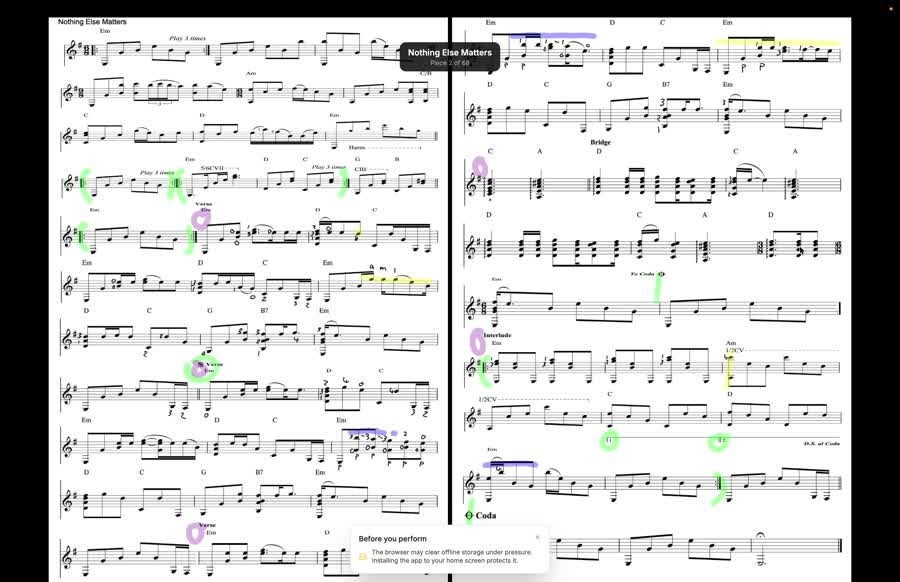
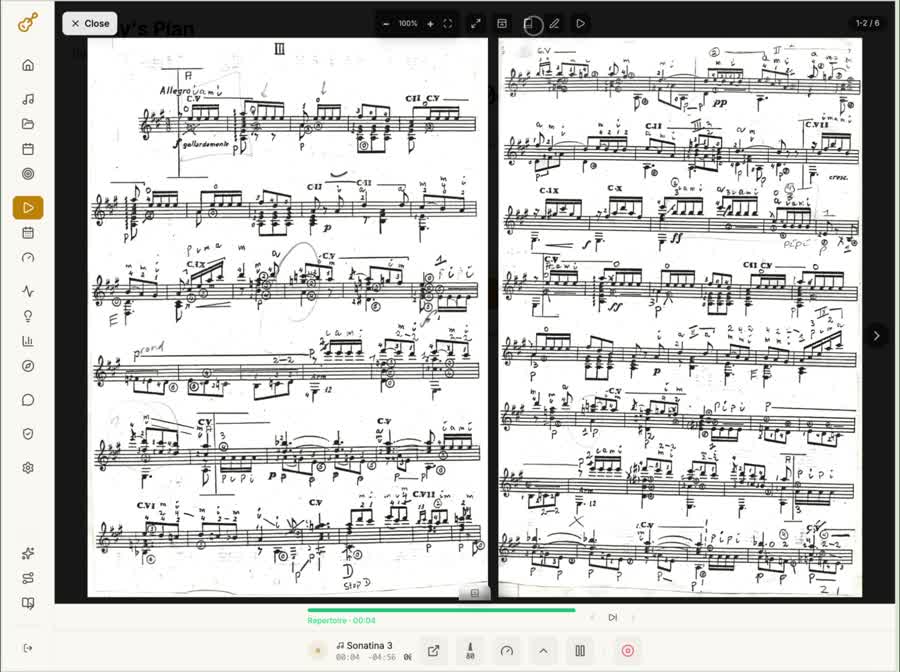
Perform from the score
Perform mode turns the app into a music stand: zoom and pins are locked, so nothing changes by accident mid-piece.
- Full screen, with page turns by tap, swipe or a Bluetooth pedal
- Two pages side by side when you turn the tablet sideways
- Hold a page for a second to annotate in place, without leaving the performance
- Download a piece or the whole setlist for offline before you leave, so no signal backstage doesn't matter
BBefore the concert
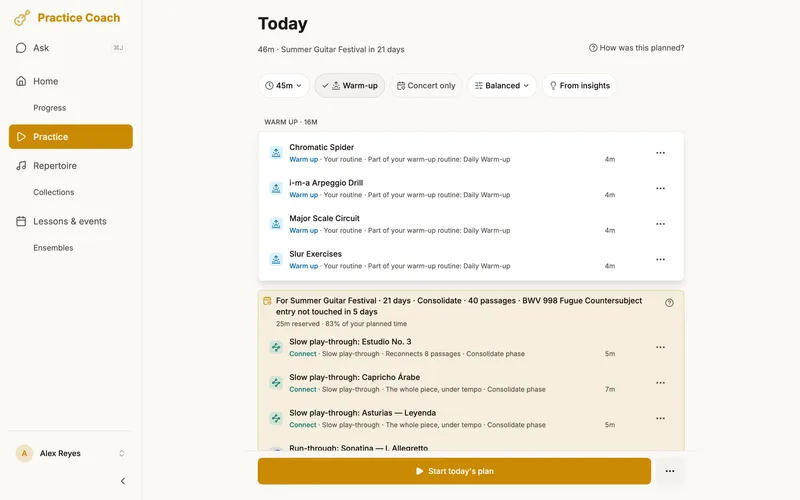
The plan clears the decks
Add a concert with its pieces, and the run-up is planned backwards from the date in four phases: Build, consolidate, perform, taper.
- Time set aside for the setlist from three months out, growing to most of your practice time in the last week
- Weekly tempo targets as the concert gets closer
- In the last ten days, a refresh of tricky passages and anything rated Rough or below
- Switch on Concert only (or Rehearsal only, Lesson only) and the setlist takes the whole session after your warm-up and essentials, until the day
CRun-throughs
Run it like a performance.
Review it like a practice session.
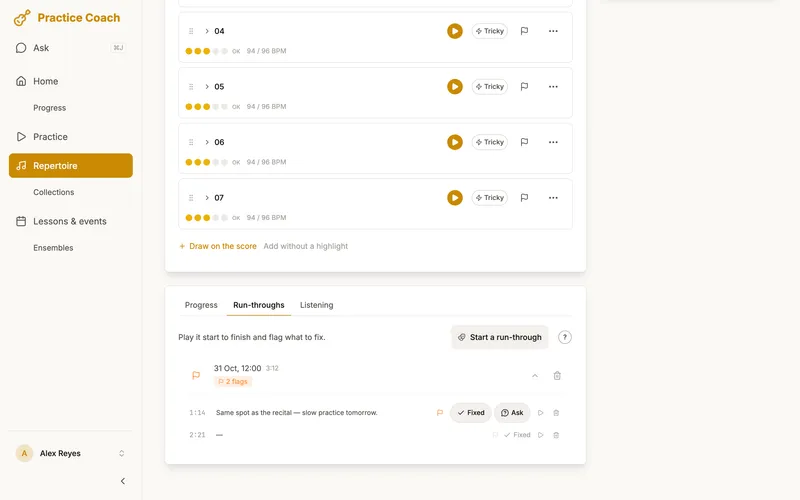
Good performance preparation means practising continuing, not stopping. Live flagging lets you mark rough spots without breaking your flow.
Play straight through
Start a run-through and keep going — no matter what. You're training yourself to recover and continue, exactly like you would on stage.
Say "flag that" and move on
Hear something you want to come back to? Just say it. The app marks the moment with a timestamp and saves a clip. Your hands never leave the instrument.
Review only what matters
After the run-through, you get a list of every flagged moment — with audio clips ready for review. No scrubbing through a full recording to find the rough spots. Drill each one, then mark it fixed once it's clean.
DEnsembles
Share the music with the people you play with
Share a score
Each player adds their own copy and picks their part. The sharer's markings arrive as a layer you can read but not change.
Readiness, by choice
Each player chooses whether to share. Those who do appear on a board that shows where the music stands before the next date, passage by passage, never a ranking of players.
Your practice stays yours
Unless you opt in, nobody in the ensemble sees anything about your practice. If you do, they see your confidence and tempo on the shared music, never your practice history, recordings or notes.
EIn practice
A week in the life
Monday
Orchestra rehearsal tomorrow. You open the Repertoire map and the Brahms second movement is the one piece that reads Needs a refresh. You drill the exposed passage until it's Solid at tempo.
Wednesday
Recital in ten days. The event block grows, the refresh starts with the tricky passages, and the Chopin, which is starting to fade, gets some time too.
Friday
Concert this weekend. Concert only is on. You run the programme, flag two transitions, mark them fixed after drilling, and download the setlist for offline.
On Monday the plan goes back to everything else.