How it works
What it actually looks like to
use Practice Coach
Three real moments: an ordinary day, the week before a concert, and the evening after a lesson.
An ordinary day
Morning
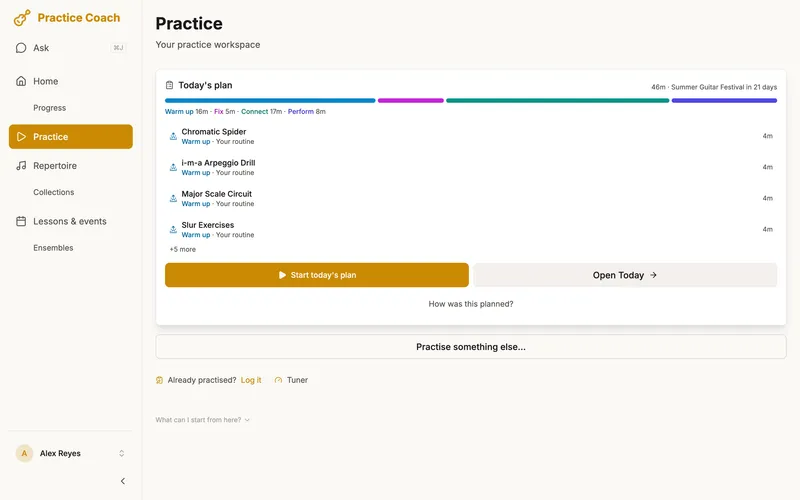
You open the app and today’s plan is waiting. It starts with the Warm up block: your routine and your daily essentials. Next comes the block for the concert in nine days, For Spring Recital: the Prokofiev sonata, development passage first, which you last rated OK. After that, ten minutes on the Bach prelude. You haven’t played it for ten days and it’s starting to fade.
Practice
The practice bar along the bottom carries the tempo, the metronome and five confidence circles. Passage Mode crops your uploaded score to the Prokofiev passage you’re working on, bars 48–56, and the metronome is set to your working tempo: 92 BPM. Tap into immersive mode and the controls get out of the way: just the score and the music.
Fix
The target is three clean in a row (five on a passage you’ve marked tricky). You slip twice, then play it clean three times, and the app offers +5 BPM. You take it: the metronome moves to 97 and the count starts again. At the new tempo you rate it OK, and that’s fine: you’re building speed at the edge of control.
Switch
Halfway through playing the whole Bach prelude, one spot keeps tripping you up. Tap Passages on the score, pick that passage and drill it. The item’s clock keeps running, one button takes you back to the whole piece, and the plan doesn’t change.
Flag
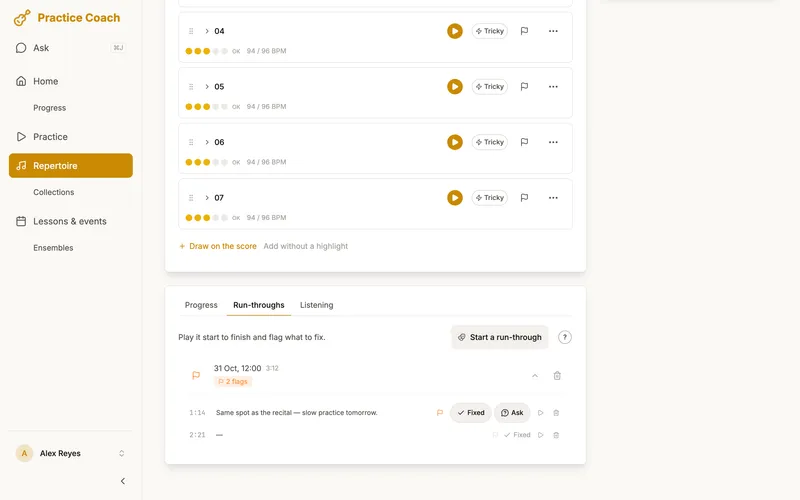
That spot in the Bach is a mistake you want gone, so you flag it: the flag on the practice bar, then the place on the music. When it comes out clean, tap the flag and choose Fixed. It stays on the page as a faint outline, and if the mistake returns next week, It’s back reopens the same flag.
End of session
The session summary shows what changed, including the flag you fixed, and what happens next. The time you practised is there too, as context. The development passage has been coming on, so a suggestion to move the sonata to its next stage sits under Details.
Tomorrow
Tomorrow’s plan is rebuilt from what you rated today: maybe less time on those bars, more on the coda.
Research on practice suggests that time spent is a weak guide to progress: among 17 advanced pianists learning the same passage, practice time and the number of repetitions did not relate to how well they played it the next day, and how they handled errors did. (Duke, Simmons & Cash (2009), “It’s Not How Much; It’s How”, Journal of Research in Music Education 56(4), 310–321.)
The week before a concert
A gig, concert, rehearsal or lesson with pieces linked to it is a commitment, and your plan treats it like one.
Link the pieces
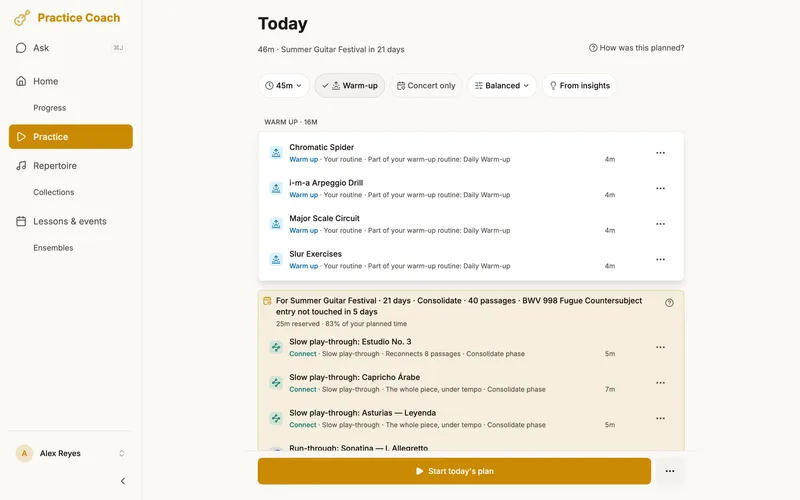
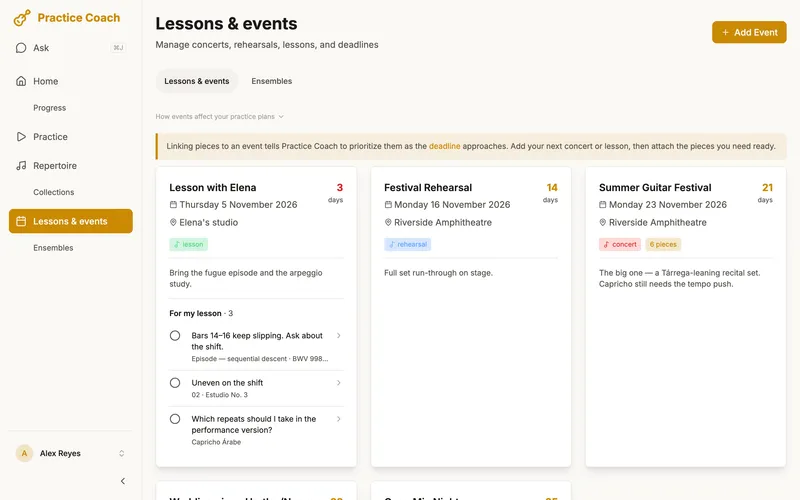
You add the event and link the pieces you’ll play. From three months out, every daily plan has a block named after the event, For Spring Recital, with time set aside for those pieces.
Time that grows
That time starts at about a third of your session and grows as the date gets closer, to most of it in the final week.
Perform week
From a week out until the day before, the plan runs the whole setlist in concert order every day, and no tempo raises. It’s the third of four phases the run-up moves through: Build, consolidate, perform, taper.
Tempo targets
On the way there, each piece gets weekly tempo targets as the concert gets closer, timed to reach its concert tempo ten days before the event. A passage is only asked to go faster once you’ve rated it Solid at its current speed, and your saved tempo only moves when you move it.
Refresh first
In the last ten days, a refresh comes first: your tricky passages, and any passage you last rated Rough or below, get five minutes each.
Concert only
Want to drop everything else? Switch the block to Concert only (or Rehearsal only, Lesson only). It gets all your practice time after your warm-up and daily essentials, and the plan remembers the choice every day until the event has passed or you switch it off.
Run-throughs and flags
Play the set straight through as a run-through. When something slips, say “flag that” and keep going: the flag lands on the music, and you mark it fixed later, once it’s clean.
The night before
Tap Download for offline on the event, so the setlist’s music is on your device even if the venue has no signal.
On the day
On the day itself, the plan is a warm-up and nothing else. On stage, Perform mode shows the setlist’s music.
Everything else
All along, the plan covers every passage on the setlist at least every three days, two in the last three weeks. The rest of your repertoire keeps a little time: under the block, a few other pieces fit in, the ones starting to fade first, each one tap to remove. Could also fit lists more, one tap to add. A piece you’ve never played is never offered while a gig is coming.
Build· today
until 3 weeks out
Consolidate
3 weeks to 8 days
Perform
a week to 2 days
Taper
the day before
For Spring Recital
30 days · Build · 12 passages, all touched in the last 3 days
- 8m
Fix: Sicilienne, bars 33–40
aim 84 BPM this week
- 10m
Tempo step: Gigue at 96
5 passages at 92, Solid
- 7m
Fix: Gigue, bars 61–68
OK · build confidence at 92 first
- 8m
Slow play-through: Sicilienne
reconnect the passages
Fix
- 5m
Fix: Clair de lune, bars 15–18
fading · 12 days
Perform
- 6m
Arabesque No. 1
fading · 9 days
Could also fit
- Prelude in C· slipping · 6 weeks
- Oriental· slipping · 7 weeks
After a lesson
Practice Coach works with your teacher, not instead of them.
Your teacher tells you what to work on and how to approach it. Practice Coach handles when and how much.
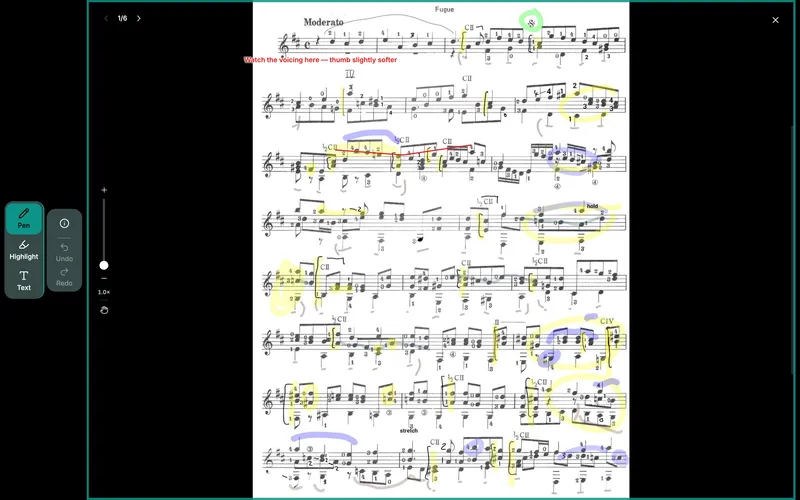
During the lesson you can mark up the score itself (fingerings, circles, reminders) right on your tablet, and it syncs to your other devices.
After your lesson, you create passages from your teacher’s feedback, rate your confidence honestly, and set tempo targets. Practice Coach keeps it in your plan after the lesson, not just the day after.
Questions you save while practising, and flags you tap Ask my teacher on, gather in one list called For my lesson on your next lesson’s card. Tick each one once you’ve asked. It’s your list: nothing is sent to your teacher.
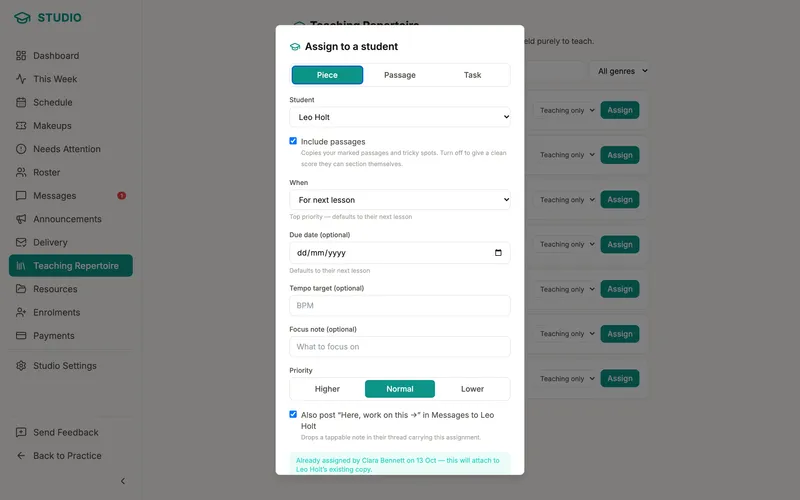
If your teacher uses Practice Coach Studio, the work they assign arrives in your own plan, and their markings sit on their own layer on your score.
Your teacher teaches. Practice Coach organises. You practise.
Every plan in these scenarios is built by Practice Coach’s planning rules from your own data. See the few places AI is used.