Practice Coach Studio
Run your studio.
See the practice.
One place for your roster, your schedule and lesson payment tracking, and the thing no other tool shows you: what your students actually did between lessons.
Invitation only for now.
You see a student for 30 to 60 minutes a week.
What happens the rest of the time?
You give a lesson on Tuesday. You assign focus areas, set tempo targets, and explain exactly what to work on. Then you don't see the student again for a week.
Did they practise? Did they work on what you asked? Are they stuck on something and too embarrassed to say? You won't know until they walk in next Tuesday — and by then, a week of practice time has already passed.
Practice Coach Studio closes that gap — and takes the studio admin with it.
AVisibility
See practice, not promises
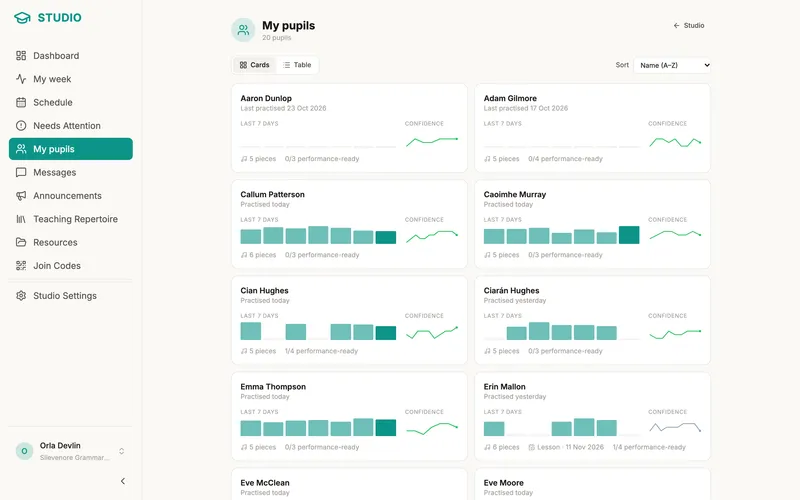
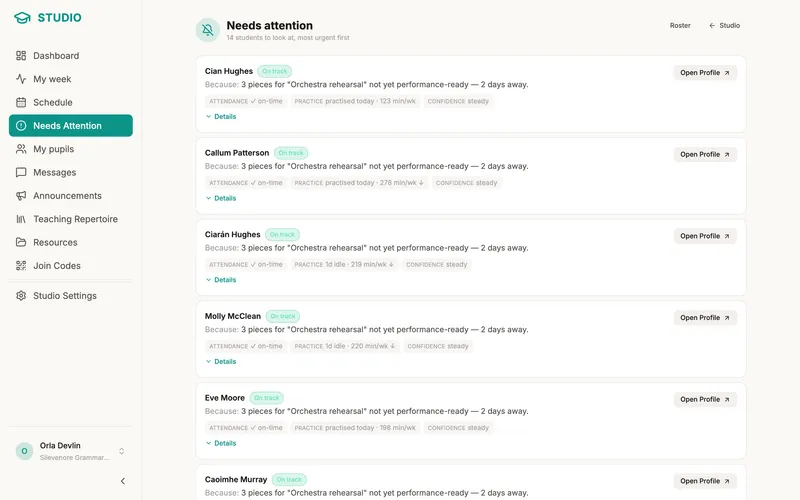
"Did you practise?" stops being a question. The roster shows every student's real week — and the Needs Attention feed surfaces the ones who are quietly struggling before it becomes a pattern.
- Practice-density strips and confidence trends for every student, at a glance
- Needs Attention ranks who to think about — no practice since the lesson, a stale passage, a confidence drop
- Snooze or dismiss anything you’ve already handled
BLesson context
Walk into every lesson knowing what happened
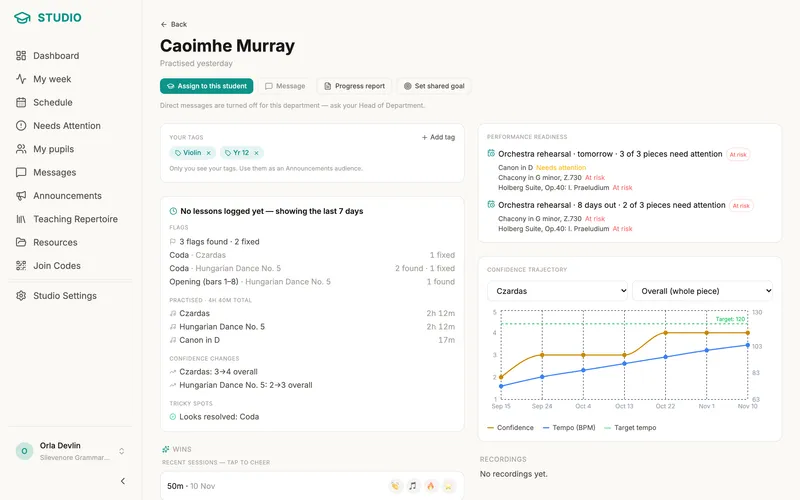
No more spending the first ten minutes of a lesson reconstructing the week. Open the student's summary and it's all there: what they practised, what moved, and what got avoided.
Flags are the mistakes a student marks on their own music. You see counts and passage names only, never the note they wrote on a flag, and you can't fix or remove a flag for them: marking it fixed stays the student's own tap. As with everything else you see about a student, this covers only students who have linked with you and share their practice data. Why found and fixed comes before minutes.
- A "since last lesson" panel: sessions, passages worked, confidence moves
- It opens with flags: how many the student found, fixed and had come back since the lesson, passage by passage
- Per-piece, per-passage confidence and tempo history
- Auto-assembled progress reports you can print for parents
CEncouragement
Catch the wins. Send a cheer.
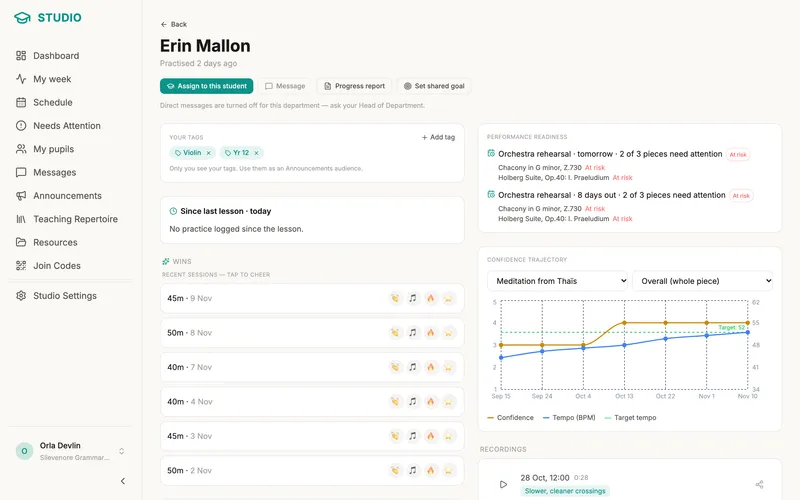
The wins come straight from real practice data, and reactions ride the same consented link as everything else. It's positive-only — there's no nudge, only a cheer — and it stays a lift, not a leash: one daily roundup, never a notification for every win.
- A Recent Wins strip picks out real milestones: a target tempo reached, a tricky passage resolved, a confidence jump, practised 7 days running, a focused session
- One tap sends 👏 🎵 🔥 ⭐ — to a win, or to any plain practice session
- The student gets a kudos card and a little confetti, plus a push — so the encouragement arrives the same day
- You get one quiet daily summary of your students’ wins — never a ping per win
DAssignments
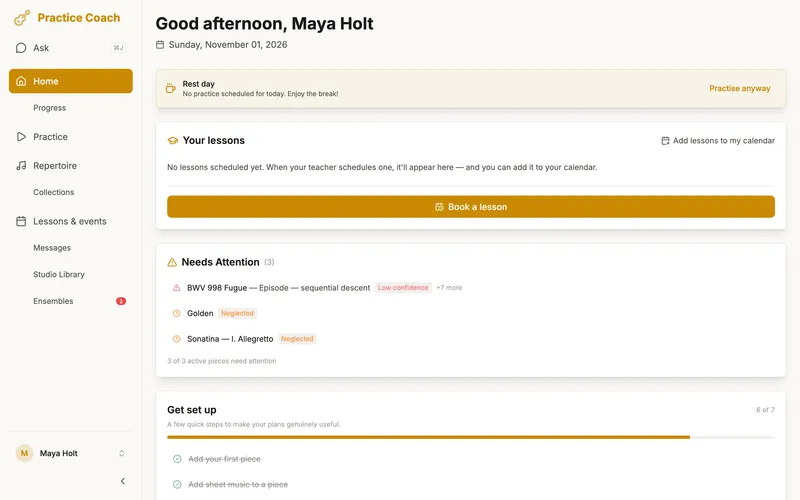
Assign work that lands in their plan
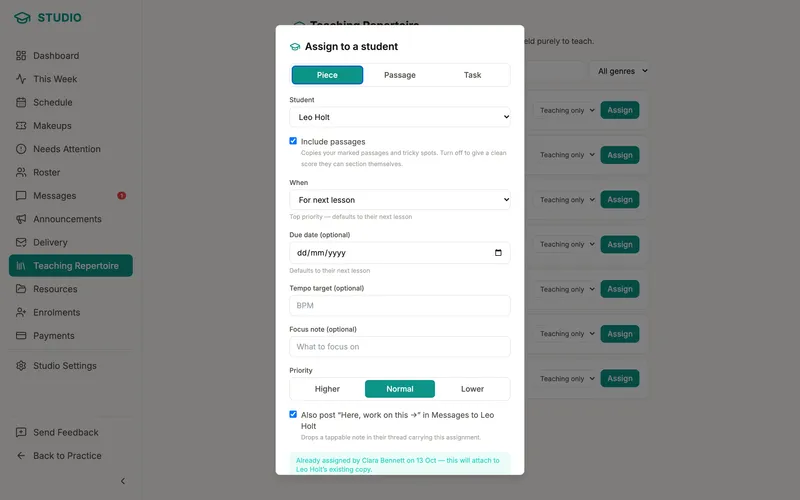
Assignments don't sit in a notebook — they land directly in the student's daily practice plan, weighted like everything else. Your teaching library keeps the repertoire you assign again and again one tap away.
- Assign a whole piece, a single passage, or a free-form task
- Copy-on-assign: the student gets their own copy — their data stays theirs
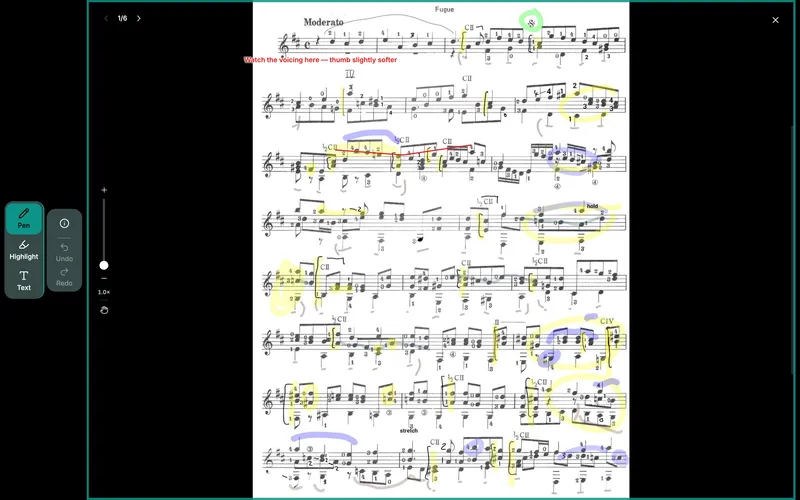
- Annotate their score on your own teacher layer
- Leading an ensemble too? Share a score with the group: everyone adds their own copy, and an opt-in readiness board shows where the music stands.
EStudio admin
Run the studio, not the paperwork
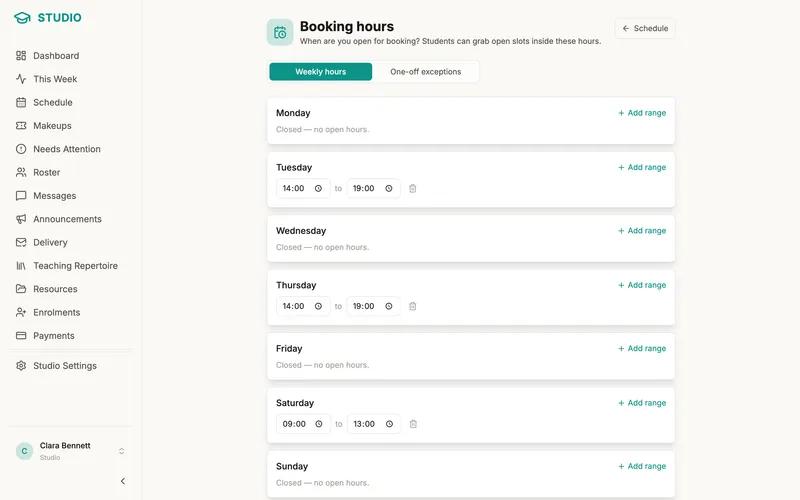
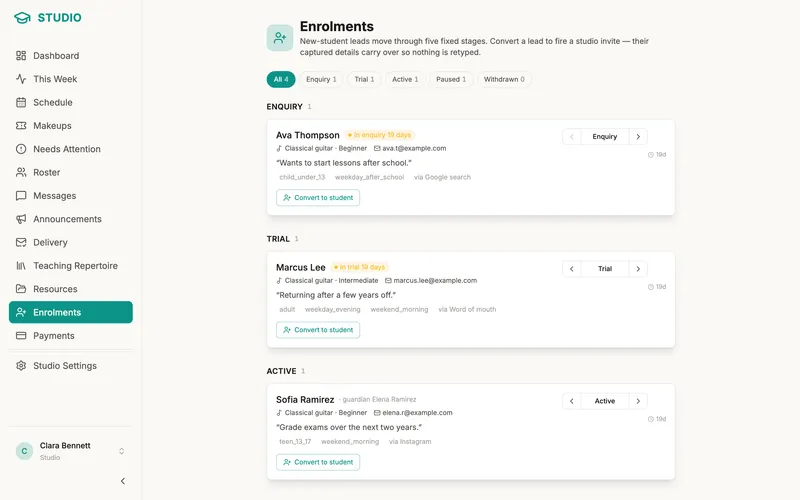
Everything opt-in, everything in one place: scheduling, attendance, lesson payment tracking and new-student intake — the admin that usually lives in three other apps and a spreadsheet.
- One-off and weekly lessons that project into each student’s app as deadlines
- Attendance, makeup credits, and self-service booking against your availability
- Track lesson payments, with prepaid lesson packages that draw down per attended lesson
- An enrolments pipeline fed by your own branded intake page
FCommunication
Stay in touch — and keep parents in the loop
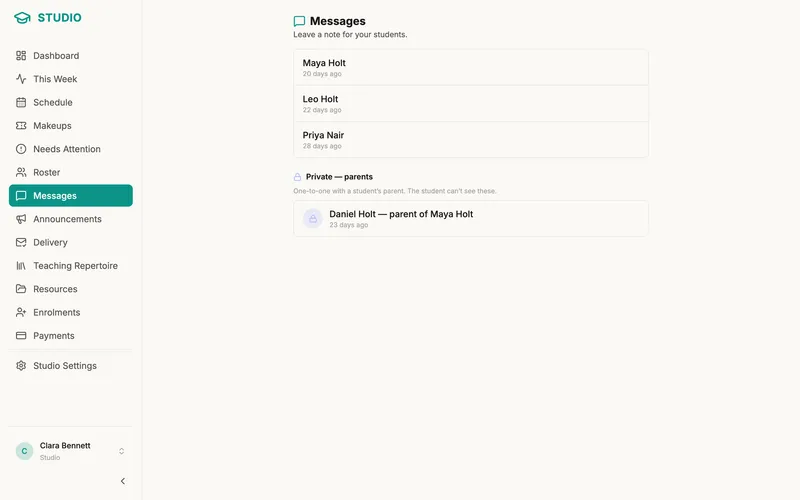
Hear a student's week, not just read about it — practice recordings arrive as playable cards with tempo and length. Parents get their own portal, so "how's it going?" has an answer that isn't your Sunday evening.
- Direct messages with tappable assignment cards
- Students can send a practice recording straight into the thread
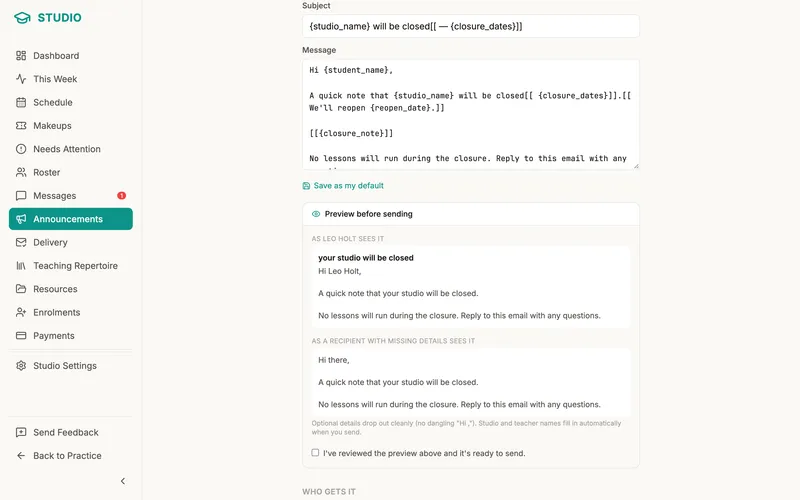
- Announcements to the whole studio or a segment, with delivery status
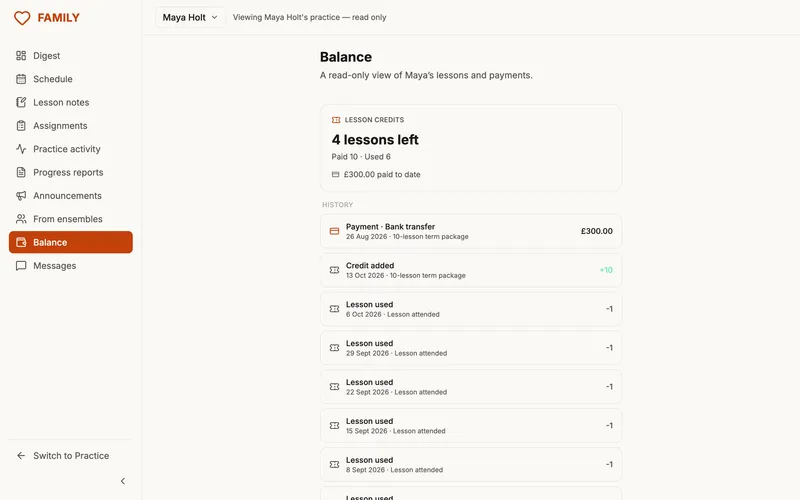
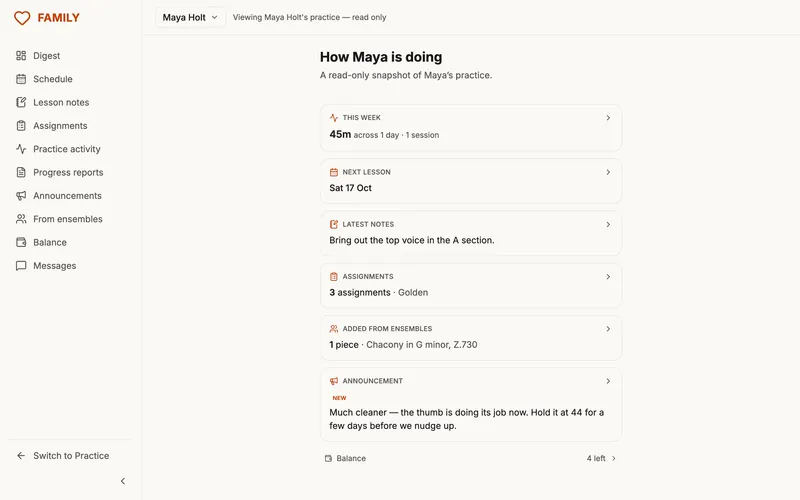
- A family portal: digest, schedule, balance, and messages for parents
GThe pulse
Know the week. Show the term.
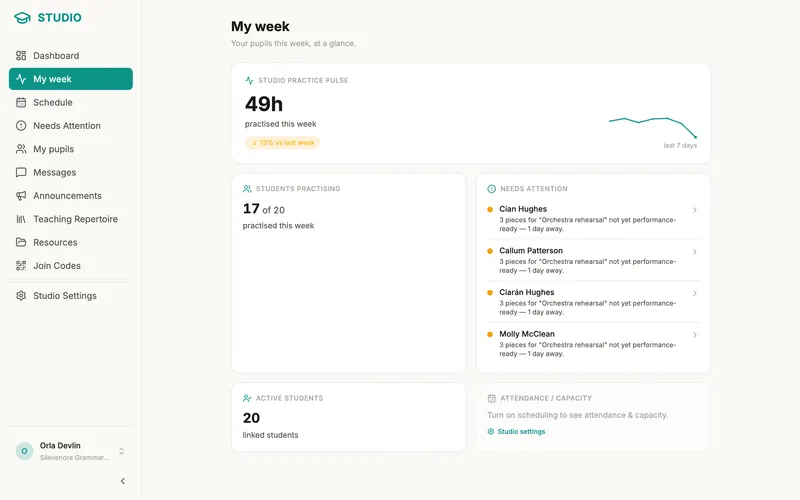
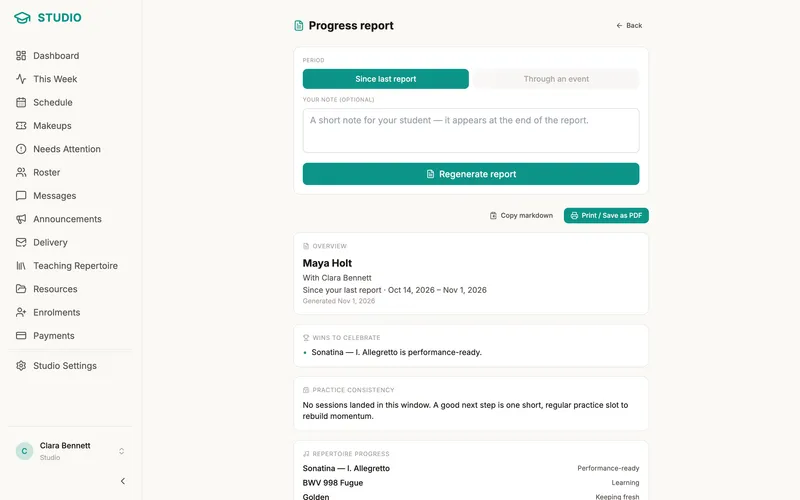
The This Week dashboard rolls the whole studio up: who's practising, who's slipping, how the money and the lessons line up. And when a parent asks how it's really going, the progress report answers with data.
- The This Week dashboard: practice pulse, at-risk students, attendance, and money in one screen
- Progress reports assembled automatically from real practice data
- Snapshot and print to PDF — parents see evidence, not anecdotes
Free during the beta
Set up your studio, add students and see a week of practice.
Students own their data
Students consent before anything is shared, keep their own accounts, and can revoke access any time. Guardian links are age-banded with dual consent.
Organiser, never instructor
Practice Coach schedules and tracks. The teaching — technique, interpretation, how to play — stays entirely yours.
Start with one student this week
Invitation only for now. Teaching in a school? See Practice Coach for Schools.
Request an invite